
The Keys to Scalable Industrial Machine Software (Part 1: Production)
What’s the biggest thing that stops a controls codebase from scaling?
It’s rarely performance. It’s the explosion of variants, options, and “just copy it from the last machine” decisions.
Here’s the problem: you ship more machines, more options, more variants… and your software becomes the thing that slows you down. Field bugs take longer to fix. Small changes ripple. The team starts relying on “that one controls wizard” who understands the black box.
In this post, “scalable” means something simple:
You can ship new platforms and options without multiplying maintenance cost.
I’m going to split scalability into two halves:
Software production—how you build and extend the codebase.
Software maintenance—how you change what’s already deployed without fear.
This post is the production half. The next post will cover maintenance.
Scalability in Software Production
From what I’ve seen, production scalability comes down to five levers. If you get these right, you stop relying on luck and heroics.
Hardware and hardware interfaces
Development environment (and whether it plays nicely with source control)
Coding standards and architectural templates
Battle-tested patterns and reusable code
Testing and validation (especially regression testing)
1) Hardware and hardware interfaces
Robert C. Martin (often called “Uncle Bob”) highlighted in his book Clean Architecture that a core strength of software is that it is “soft”—basically, it is easy to change. If you examine the evolution of industrial machines you’ll see that this strength was intended to be utilized; early machine actuation logic was based on relay logic. Then came the software-based approach which revolutionized industrial machine design—cabinets filled with copious numbers of relays were replaced with Programmable Logic Controllers (PLCs) which implemented the software equivalent via Ladder Logic.
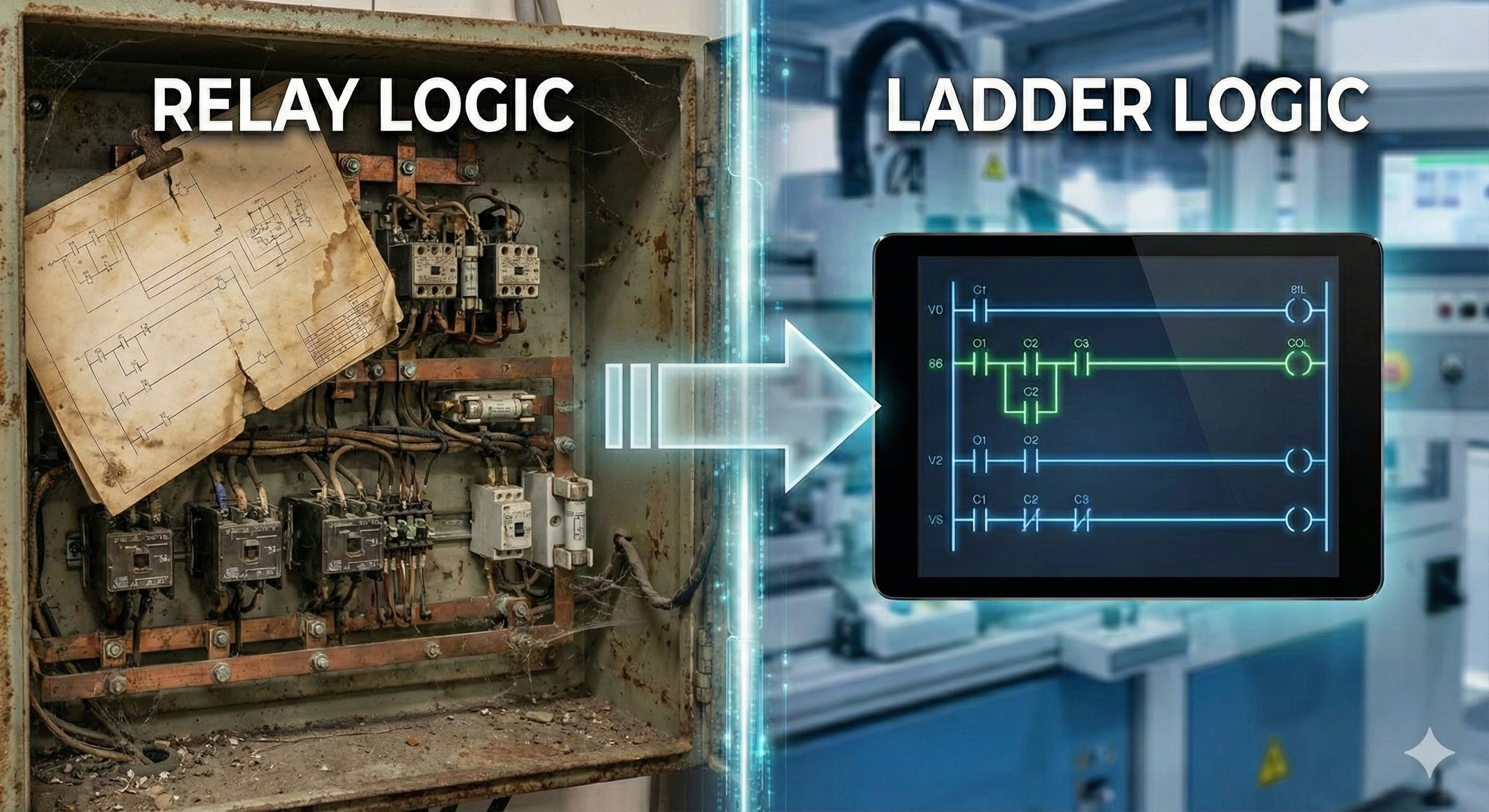
Figure 1. Relay logic cabinets were replaced by PLCs that implemented Ladder Logic.
We should strive to maintain the flexibility that software gives us.
The fastest way to lose scalability is to let hardware details leak everywhere. When “device specifics” are scattered across the codebase without restraint, one hardware change becomes a major rewrite event or a risky patchwork.
The fix is separation of concerns. Keep tight boundaries between:
Business logic (core machine behavior)
Peripheral logic (machine implementation and configuration logic)
Adapters / interfaces (how you talk to a specific drive, IO rack, robot, fieldbus, etc.)
Hardware objects (representation of hardware in code)
A simple mental picture:
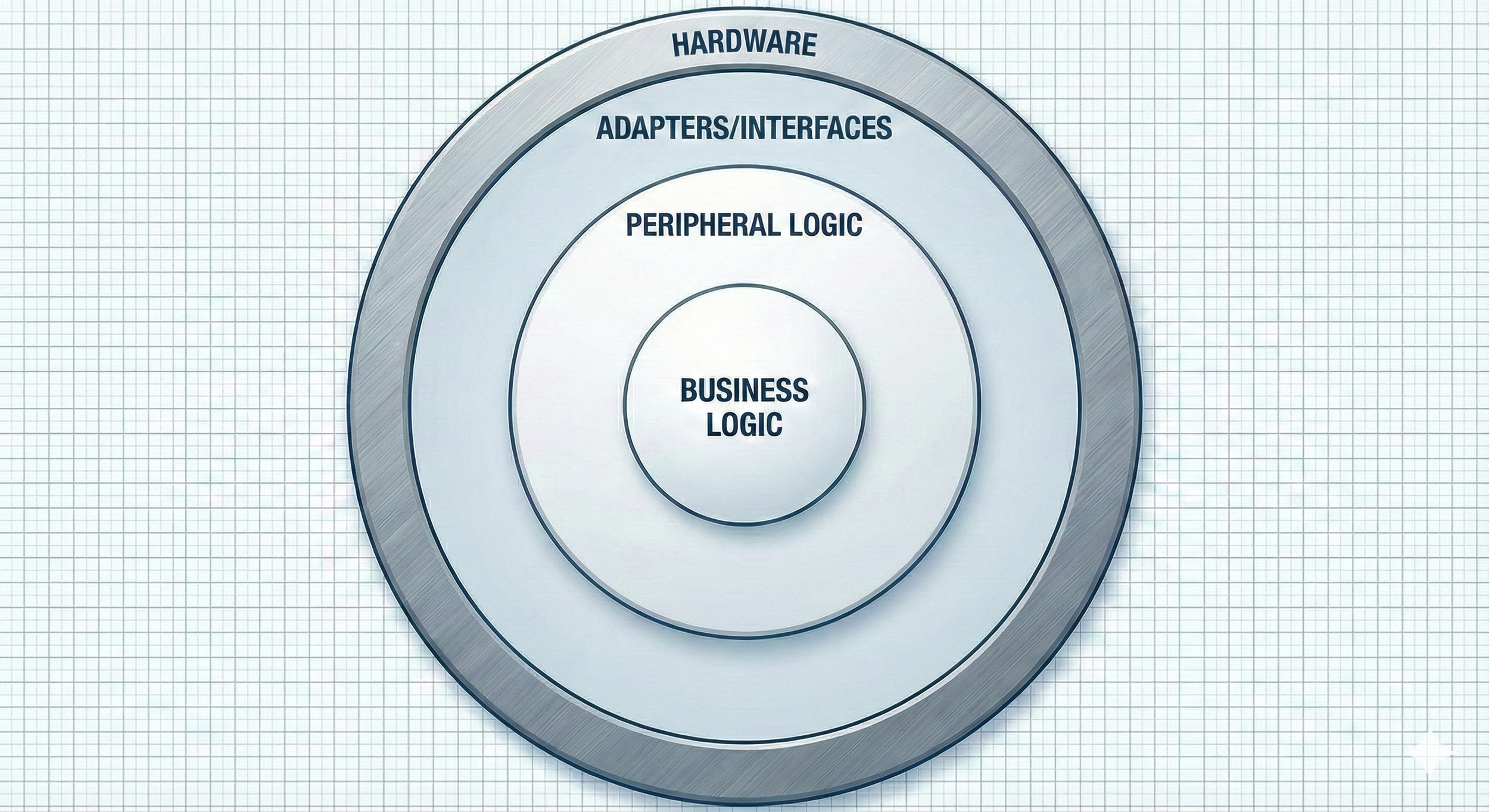
Figure 2. Software architecture with boundaries separating hardware from business logic.
If the adapter layer is the only place that knows vendor details, you can swap hardware (cost, availability, vendor strategy) while only updating the hardware layer—peripheral and business logic remain unchanged.
2) Development environment
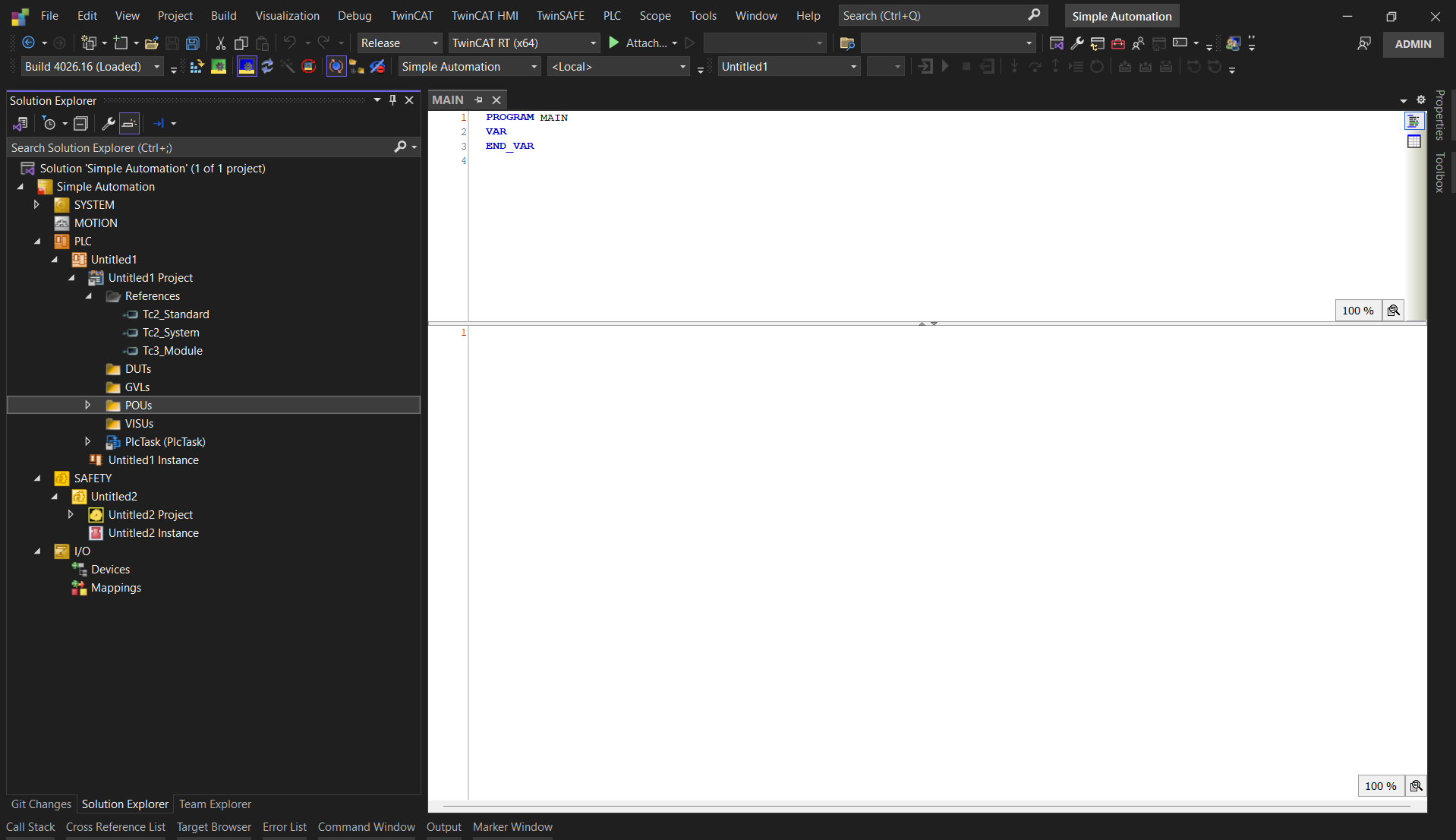
Figure 3. The TwinCAT IDE is modular, implements library management and stores files in plain-text format for Git source control.
This one is constantly underestimated.
Your IDE can enable modular, collaborative development… or quietly force a workflow where the project is a fragile blob that no one wants to touch.
When I look at an environment for scalability, I care about three things:
Can I package options as reusable modules/libraries (instead of copy/paste)?
Can the project live in Git without constant pain (diffs, merges, releases, rollbacks)?
Does the toolchain make commissioning and debugging faster instead of slower?
Here’s the copy/paste tax in one sentence: if an option exists on 10 platforms by copy/paste, a field bug fix is now 10 fixes (or one fix and nine forgotten ones).
If that same option is a shared module/library, you fix it once, review it once, release it once.
Vendor note (not a flame war): different ecosystems make this easier or harder. Some store projects as text and treat libraries as first-class citizens. Others fight you. Pick the stack that matches the way you want to build long-term.
3) Coding standards and architectural templates
This topic often flies under the radar—and honestly, it makes sense why. In system integration, a lot of machines are produced as one-and-done solutions. And when your IDE stores projects in a binary format, the workflow often pushes you into silos: one developer owns the PLC logic, another owns the HMI/SCADA, and robotics has its own dedicated resource.
Even if true collaboration isn’t realistic because of tooling constraints, it’s still critical to build in scalability. If every time you hire a new developer your entire codebase has to be “redone” because the new guy says the last guy did a terrible job, you’ll forever be at the mercy of your controls engineers.

Figure 4. “It works.” — The highest form of sorcery.
At that point what you really have is a “Controls Wizard”—you don’t know how they got the machine to work, but you’re amazed every time, and you’re intentionally kept in the dark about how they pulled it off. A magician never reveals his secrets, and the architecture and logic of your machines becomes the same kind of black box—to you, and to every new “Controls Wizard” you hire after that.
Standards don’t have to be fancy. They just have to be consistent and enforced. A good baseline usually includes:
A starter template project (modes, alarms, IO buffering, simulation hooks, motion scaffolding, logging)
Variable naming conventions (optionally enforced via static analysis tools)
Docs-as-code style documentation (explaining algorithm intent for the next engineer)
I’ve literally seen a variable named “whatAmIDoing” in production code. It was funny until I was under the gun trying to debug logic it was tied to.
Personally, I like to use standardized code-cases. I also incorporate meaningful prefixes to convey variable intent. Here is an example we implemented for a client that emphasizes simplicity and readability:
VAR_INPUT
    i_part_present    : BOOL;
END_VAR
VAR_OUTPUT
    o_conveyor_enable : BOOL;
END_VAR
VAR CONSTANT
    MAX_SPEED         : REAL := 1500.0;
END_VAR
VAR
    homingSequence    : FB_Homing;
END_VAR
The example above uses snake case for regular variables, capitalized snake case for constants. “i_” and “o_” prefixes for input/output variables. And camel case for function blocks. Note: I try to avoid Hungarian notation like the plague—avoid tying a variable’s data type to its name at all costs. Your future self will thank you.
Use whatever convention you want. The point is: pick one, document it, and make it easy for the next engineer to succeed.
4) Battle-tested patterns and reusable code
Scalability is really about managing change risk. Software is supposed to stay soft—easy to extend without breaking. Big-picture architecture helps by creating boundaries so changes don’t leak into business logic, but scalability also lives at the micro level: the practices you use inside those boundaries.

Figure 5. Standing on the shoulders of giants in Controls and Software Engineering.
On the software engineering side, that means learning proven techniques instead of reinventing them. For Structured Text, OOP fundamentals—abstraction, encapsulation, inheritance and (when used well) polymorphism—keep changes localized. SOLID principles are strong guardrails, and Robert C. Martin’s Clean Code and Clean Architecture are excellent references for building systems that can evolve.
On the controls side, the same idea applies. For Ladder/graphical logic, Gary Kirckof, P.E.’s Cascading Logic lays out battle-tested patterns for latches, one-shots, timers, sequencing, and modes (single-step, single-cycle, auto) that have worked for decades. Pair that with the GoF’s Design Patterns, and the message is simple: if standard patterns exist, don’t waste time recreating the wheel—you’ll ship faster, reduce bugs, and end up with a codebase that scales.
5) Testing and validation
In software engineering, unit tests exist for a reason: they keep you from breaking yesterday’s working code while you add tomorrow’s features.
Controls is harder because the world includes real sensors, real timing, and real hardware. But you can still test a lot:
Pure algorithms (filters, calculations, transformations)
State transitions and sequencing rules
Alarm logic and edge cases
Safety-related behaviors that can be simulated
Even if you never go “full TDD,” regression tests are where scalability starts paying rent. When fixes stop breaking unrelated things, commissioning gets faster, releases get safer, and you spend less time firefighting.

Figure 6. Reign in your code with TDD: unit tests and Regression Analysis.
A pattern I like is unit testing the core business logic—motor control, alarming, and DSP utilities (filtering/compensation). That’s where tests actually scale, because the logic lives in a reusable library: write the tests once, reuse them forever. For true one-off code, use simulation/dry-run logic to validate sequences during prototyping before you ship it into the wild.
Conclusion
Production Scalability Checklist
Business logic is separated from hardware specifics (interfaces/adapters).
Options are implemented as reusable modules/libraries.
The toolchain plays nicely with Git (or has a reliable export strategy).
A standard project template exists (modes, alarms, IO buffering, sim hooks).
Naming conventions are documented and followed.
Proven patterns are reused instead of reinvented (GoF, SOLID, Cascading Logic).
Core logic is regression-tested (unit tests for algorithms + critical behaviors).
Prototypes are validated with simulation/dry-run logic before deployment.
Next post: maintenance. That’s where the real cost lives - and where most teams either win big or slowly drown.
If you want a second set of eyes on a codebase (architecture + modularity + standards + testability), I’m happy to share what I look for.